
Language
Views: 222 Author: Edvo Publish Time: 2025-11-30 Origin: Site


Content Menu
● What Are Proflex Heated Insoles?
● Step 1: Fully Charge The Batteries
● Step 2: Prepare The Insoles And Footwear
● Step 3: Pairing With The Wireless Remote
● Step 4: Pairing With The Bluetooth App
● Step 5: Setting And Adjusting Heat Levels
● Best Practices For Comfort And Battery Life
● Safety And Maintenance Guidelines
● How A Chinese OEM Insole Factory Can Support Your Brand
>> FAQ
>> 1. How do I confirm that my Thermacell Proflex heated insoles are paired correctly?
>> 2. Can Thermacell Proflex heated insoles be paired with more than one phone?
>> 3. Why do my Thermacell Proflex insoles feel warm only inside boots and not in open air?
>> 4. How long do Thermacell Proflex batteries usually last on one charge?
>> 5. Is it safe to trim Thermacell Proflex heated insoles to fit my shoes?
Thermacell Proflex heated insoles are battery‑powered foot warmers designed to keep feet comfortably warm, not hot, in cold outdoor conditions. Correct pairing, fit, and daily use are critical if users want stable heat output, reliable control, and maximum battery life during winter sports, work, or commuting.
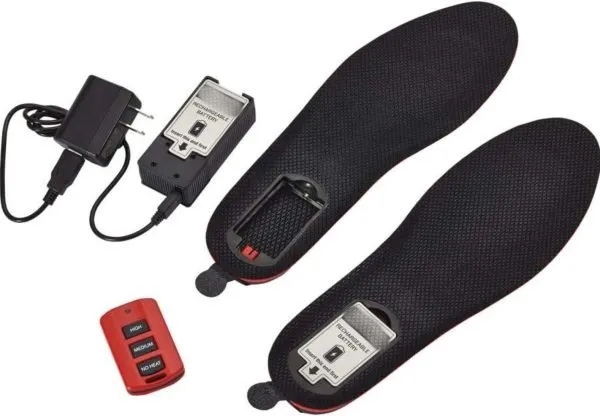
Thermacell Proflex insoles are flexible polyurethane foam insoles with integrated heating elements and removable rechargeable batteries located in the heel. They generally offer three regulated temperature levels—standby (no heat), medium, and high—to maintain a consistent temperature inside boots or shoes without overheating the foot.
Proflex Heavy Duty versions add more robust materials, improved cushioning, and longer‑running batteries aimed at harsher environments. Many newer versions also add Bluetooth connectivity so users can monitor battery level and adjust temperature directly from a smartphone instead of a basic handheld remote.
Before pairing the insoles, it is important to gather all required components and ensure they are compatible with each other. This preparation minimizes connection problems and helps you complete setup in one smooth process.
- A pair of Thermacell Proflex or Proflex Heavy Duty heated insoles in the correct size range for your footwear.
- Removable rechargeable lithium‑ion batteries supplied with the insole set.
- Charging accessories: USB cable, wall charger, or charging case, depending on the specific kit.
- A controller: either a wireless handheld remote or a smartphone with the official Thermacell heated insoles app installed for Bluetooth‑enabled versions.
- Footwear with enough internal volume to accept the insoles without excessive compression.
The first practical step is to charge the batteries completely so that pairing and initial tests are not interrupted by low power. A full charge also allows more accurate assessment of run time for different heat settings during your first outings.
1. Remove each battery from its heel compartment if the design uses a separate charging case, or leave it in place if the charger plugs directly into the insole or battery.
2. Connect the batteries or insoles to the USB cable and plug the charger into a powered USB port or wall outlet at moderate room temperature.
3. Wait until the indicator light on the charger or case signals a full charge, which typically takes several hours for Proflex batteries.
4. If you removed the batteries, slide each one back into the heel until it is firmly seated and the contacts are fully engaged so power and communication are stable.
Preparing your boots or shoes before pairing ensures that once the insoles are connected, they can be used immediately without refitting. A correct mechanical fit also improves comfort and helps the heating system maintain stable temperatures around the foot.
- Remove the original factory insoles if they are not permanently fixed, and check that the shoe interior is clean and dry.
- If necessary, place the Thermacell insole on top of the original insole and trim only the toe area along the printed guide lines to match length, being careful not to cut past the safe trim line.
- Insert each heated insole into the footwear with the fabric top side up and the heel battery compartment fully seated at the back.
- Put on your normal winter socks and test fit; there should be enough room to wiggle toes slightly, and the heel should not feel excessively raised or cramped.
Many Proflex sets are remote‑controlled and often come pre‑paired, but users sometimes need to re‑establish control after battery changes or remote replacement. Understanding how the remote communicates with the insoles makes troubleshooting much easier later.
- Ensure both insoles are powered and in standby mode, which keeps the communication channel open while not actively heating.
- Stand close to the boots and press the medium or high button on the remote to send a command to both insoles.
- Watch for LED feedback on the battery compartments or feel for warmth building in the insoles over the next few minutes, which confirms that the units are responding.
If the remote fails to control the insoles, try the following actions in sequence.
1. Move the remote within a short distance of the insoles to rule out interference or range issues.
2. Confirm both batteries are fully charged and clicked firmly into place in each heel compartment.
3. Turn the insoles off and on again or briefly remove and reinsert the batteries to reset them, then retry the remote.
4. Replace the remote's internal coin cell battery if the manufacturer allows it and performance remains inconsistent.
Bluetooth‑enabled Proflex Heavy Duty or later Proflex variants use a smartphone app for more precise temperature control and extended features. Proper pairing creates a secure link between each insole and the phone, allowing independent control and monitoring.
1. Download and install the official Thermacell heated insoles app from your mobile app store.
2. Open the app, create or log into your account if required, and navigate to the device or insole‑adding screen.
3. Insert the fully charged batteries in both insoles and ensure they are powered on in standby mode so they broadcast their Bluetooth signal.
4. Start a scan for new devices in the app; each insole should appear with an identifying code that matches labels printed near the battery compartment.
5. Select each insole entry in the app and accept the pairing prompt on your phone to complete the connection.
After successful pairing, the app normally shows both insoles with clear connection status, temperature levels, and battery percentages. Some versions also allow independent left and right adjustments, giving users better control if one foot tends to get colder than the other.
Once pairing is completed, the next step is learning how to manage heat settings to match different temperatures, activities, and personal preferences. Choosing the right level at the right time maximizes both comfort and battery life.
- Use the lowest practical setting when starting your day indoors or inside a vehicle, then raise the level only when outdoor cold begins to affect your feet.
- Medium heat is generally enough for most moderate winter conditions and can deliver several hours of warmth on a full charge, depending on model and outside temperature.
- High heat is useful for short, very cold periods but significantly shortens runtime, so it should be used in bursts rather than all day.
For app‑controlled models, users can usually see a slider or step‑based interface representing each heat level. For remote‑controlled models, each button press cycles through clearly marked levels such as off, medium, and high, sometimes confirmed by LED flashes or short vibration patterns.
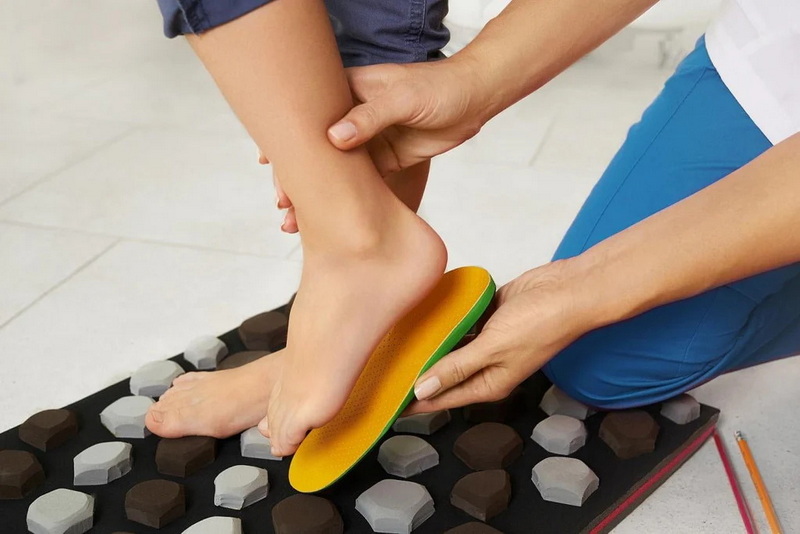
Daily habits make a significant difference in how the insoles feel and how long they last between charges. Applying a few simple principles keeps feet comfortable without wasting battery power.
- Select socks made from moisture‑wicking fibers rather than cotton so sweat can escape and heat can flow more evenly around the foot.
- Avoid tight‑fitting boots that limit circulation, because even strong heating cannot fully compensate for constricted blood flow.
- Turn the heat on early to maintain warmth instead of waiting until your feet become very cold, which is harder to reverse.
- Frequently use standby mode during breaks indoors or when walking uphill to reduce power consumption without fully shutting the system down.
Battery care also has a major impact on long‑term performance. Store batteries at moderate temperatures, avoid completely exhausting them whenever possible, and recharge them soon after heavy use to help preserve capacity over many charge cycles.
Occasionally, users may experience no connection, partial response, or weak heat, especially in very cold or damp conditions. Working through a short troubleshooting list usually resolves these issues without professional service.
- If the app cannot detect an insole, verify that Bluetooth is enabled, close and reopen the app, and move the phone closer to the boots.
- If only one insole appears in the app, remove and reinsert that side's battery, then repeat the scan so the second unit can broadcast a fresh pairing request.
- For a remote that seems unresponsive, check its battery, clean any visible debris around the buttons, and test again within close range of the insoles.
- When the insoles feel cooler than expected, test them indoors to confirm they warm up at all, then consider factors like sock thickness, boot insulation, and wind exposure.
If problems continue, reviewing the user guide that came with the insoles often reveals model‑specific indicators or reset sequences. When safety or hardware damage is suspected, users should stop using the insoles and contact customer support or the retailer for inspection or replacement.
Heated insoles use active electronics and rechargeable batteries, so safe handling is essential to protect both users and equipment. Simple precautions greatly reduce the risk of damage or malfunction.
- Never cut into the heel or battery zone and do not trim beyond the marked safe line in the toe area.
- Do not pierce, crush, or disassemble the battery pack or the electronics housed inside the insole.
- Keep the insoles dry; if they become damp, allow them to air dry fully at room temperature before recharging or operating them again.
- Only use chargers and accessories approved for the product, and avoid leaving batteries on charge in very hot or very cold environments.
Routine cleaning and inspection help preserve comfort and reliability. Wipe the top surface with a soft cloth, check for unusual bulges or damaged wiring paths, and replace worn insoles before they compromise support or safety.
For international brands, wholesalers, and footwear manufacturers, working with an experienced Chinese OEM insole factory offers strong advantages when developing heated insole lines inspired by concepts like Proflex. A dedicated insole producer can integrate different foams, fabrics, and support structures around electronic components while meeting strict export standards.
- OEM partners can co‑develop custom shapes, arch profiles, densities, and layer structures to match brand‑specific comfort targets while leaving precise cavities for batteries and heating modules.
- Factories experienced in foam cutting, laminating, and molding can coordinate with electronics suppliers so heating elements, sensors, and control boards fit reliably into mass‑production insoles.
- For overseas customers, services such as small‑batch sampling, logo printing, branded packaging, and documentation support make it easier to launch private‑label heated insole lines.
- Long‑term collaboration allows continuous refinement of fit, cushioning, and durability based on field feedback from end users in snow sports, hunting, military, and workwear markets.
By combining strong manufacturing capability with careful quality control and responsive sampling, an OEM insole factory in China can help foreign brands shorten development cycles and enter the heated insole segment with competitive, reliable products.
Pairing Thermacell Proflex heated insoles effectively is a step‑by‑step process that begins with fully charged batteries, proper trimming and insertion into appropriate footwear, and a clean connection to either a wireless remote or a Bluetooth app. When users apply the recommended pairing steps, adjust heat wisely, follow simple troubleshooting routines, and respect safety and maintenance guidance, these heated insoles can provide comfortable, dependable warmth for many hours of winter activity while extending battery life and product lifespan.
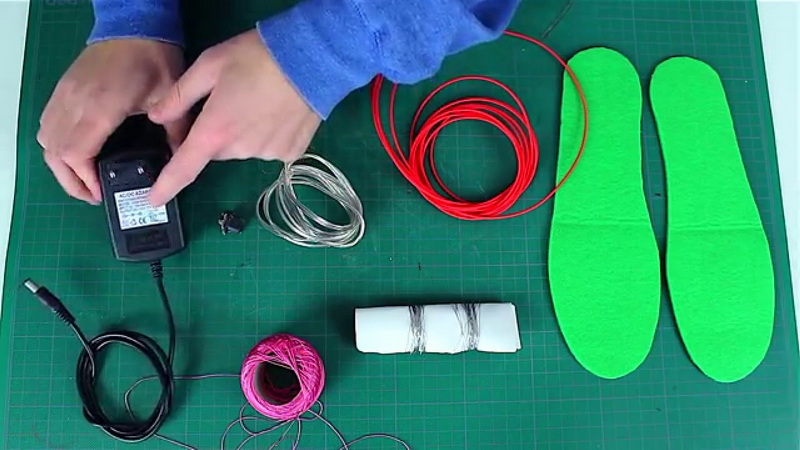
If you use a remote, pressing the heat buttons should lead to a clear reaction such as LED flashes on the battery compartment or a gradual warming sensation in both insoles. For Bluetooth models, the app should show both insoles as connected and allow you to change heat levels and see battery percentages in real time.
Most Bluetooth designs can be recognized by multiple phones, but in practice the insoles maintain an active link with only one device at a time for stability. To switch control, disconnect or close the app on the first phone and then connect from the second phone by selecting the same insole entries within the app's device list.
These insoles are engineered to maintain a comfortable temperature rather than feel very hot when exposed to open air. The insulation of footwear and socks traps the gentle heat near your feet, so warmth is much more noticeable in closed boots than when holding the insoles in your hands.
Runtime depends on the model, heat level, and outside temperature, but many Proflex versions provide several hours of warmth on medium settings and shorter durations on high. Heavy Duty versions with larger batteries can extend operating time further, especially when users combine low and medium settings rather than using maximum heat continuously.
Yes, trimming is typically allowed in the toe area along printed guide lines, provided you do not cut into the solid safety line where heating components might begin. Always trim gradually from the front, test the fit frequently, and never cut into the heel or battery compartment where electronic elements are concentrated.


